
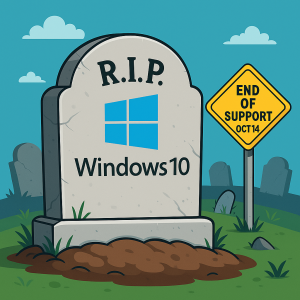
Microsoft has officially announced that Windows 10 support will end on October 14, 2025. While your PCs running Windows 10 will still function after this date, they’ll no longer receive critical security updates, technical support, or software patches from Microsoft.
This change has serious implications for small and medium-sized businesses that rely on Windows 10 systems for daily operations. If you’re still using Windows 10, now is the time to prepare so you can avoid costly disruptions and security risks.
Why This Matters for Business Owners
Without Microsoft’s continued support, sticking with Windows 10 could expose your organization to significant issues:
Security Risks
After October 14, Windows 10 systems will stop receiving security patches. That means vulnerabilities discovered after this date won’t be fixed, leaving your business open to malware attacks, ransomware, phishing scams, and unauthorized data breaches. With cybercrime costs at an all-time high, running unsupported systems could be a major liability.
Software Compatibility
Software developers update their products to stay compatible with current operating systems. Over time, many tools and applications you depend on — from accounting software to cloud storage integrations — may stop working properly or fail to run altogether on Windows 10.
Compliance Concerns
If your business handles sensitive data, such as healthcare records, financial details, or personal customer information, using an outdated operating system could violate industry regulations. This can result in fines, legal issues, or reputational damage if you experience a preventable breach.
Your Upgrade Options
Microsoft recommends transitioning to Windows 11, but not all Windows 10 devices meet the hardware requirements. If your device isn’t compatible, you still have choices:
-
Upgrade to a new Windows 11-compatible PC — Best long-term solution for performance and security.
-
Sign up for Extended Security Updates (ESU) — Temporary protection while you plan your transition.
-
Consider alternative operating systems like Linux if Windows 11 isn’t an option.
-
Do nothing — but this significantly increases risk and is strongly discouraged.
Regardless of your decision, back up your data before making any changes to protect your business from potential data loss during migration.
Extended Security Updates (ESU) — A Temporary Fix
If you’re not ready to upgrade yet, Microsoft is offering Extended Security Updates for one year after Windows 10’s end-of-life date. Here’s what you need to know:
-
Cost: $30 per device, or you can redeem 1,000 Microsoft Reward Points.
-
Free Option: Enable Windows Backup to sync essential data to OneDrive. Keep in mind OneDrive includes 5GB of free storage — you may need to purchase more space for large backups.
-
Deadline: You must register for ESU before October 14, 2025 to qualify.
Remember, ESU is not a permanent solution — it’s simply a bandage to give your business more time to migrate.
How to Prepare Your Business
Transitioning from Windows 10 requires a strategic plan to minimize disruption. Here’s what we recommend:
-
Audit Your Devices
Identify which machines are running Windows 10 and determine whether they meet Windows 11 compatibility requirements. -
Plan for Upgrades
Prioritize replacing outdated hardware and ensure critical software applications are supported on the new platform. -
Secure Your Data
Back up everything before making changes — whether to the cloud or external storage. -
Work with an IT Expert
An experienced IT provider can guide you through the upgrade process, avoiding downtime and ensuring your systems remain protected.
Don’t Wait Until the Deadline
The October 14, 2025 cutoff is approaching quickly. Businesses that start planning now will have time to migrate smoothly, avoid unexpected expenses, and maintain operational security.
If you’re unsure which path is right for your business, our team can help you analyze your current setup, review your options, and build a safe transition plan that works for your organization.
Call to Action:
Schedule a FREE 10-Minute Discovery Call to discuss your migration strategy and ensure your systems stay secure.
Click here to book your call

