
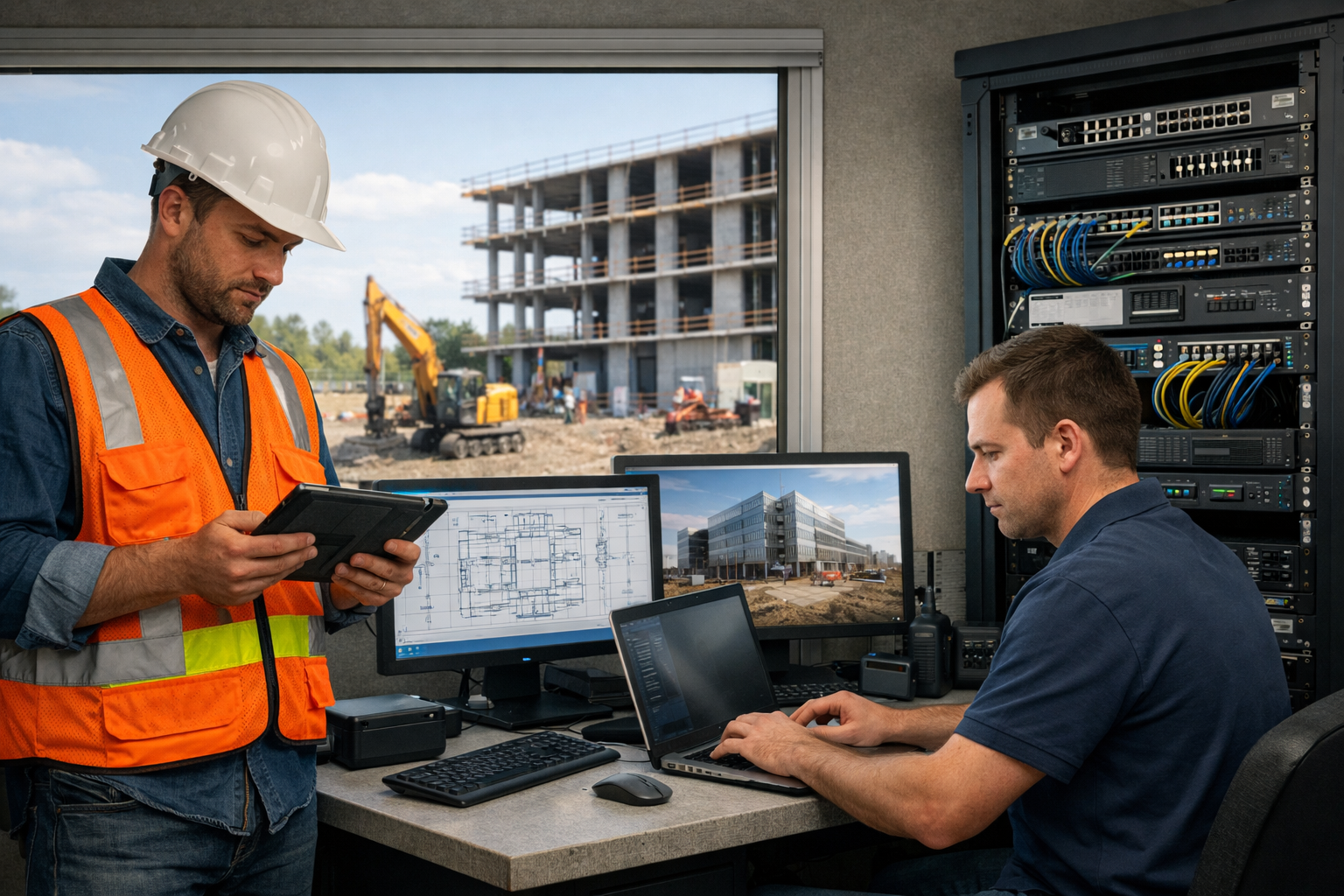
At 6:12 a.m., a foreman standing in a muddy trailer does not care about your ticketing system. If the drawings will not load, the tablet will not sync, or the PM cannot open yesterday’s revision before concrete shows up, the whole day starts sliding sideways. That is why IT support for construction has to be built around uptime in the field, fast recovery, and fewer points of failure, not just polite help desk replies.
IT support for construction is the mix of support, security, device management, connectivity, and recovery planning that keeps office staff and field crews working across changing job sites. Done well, it keeps plans, files, phones, laptops, tablets, and cloud apps available when and where your team needs them, even when conditions are rough and timelines are tighter than anyone likes.
Here’s what you’ll learn in this guide:
- Why construction needs a different IT model
- The most common tech problems on job sites
- What good construction IT support actually includes
- Which systems usually need the most support
- How proactive IT cuts downtime before it starts
- What to know about security, insurance, and access
- How to compare managed IT, in-house, and hybrid support
- What construction IT support typically costs
- Quick fixes you can start right now
Why construction IT support has to work differently
Construction is one of the least forgiving environments for tech problems. Your team is split between headquarters, home offices, trucks, temporary trailers, and active sites. Devices get dropped, dusty, wet, and overheated. Internet can be strong in one corner of a building and useless twenty feet away.
That changes everything.
A normal office can often work around a printer issue or a slow laptop for half a day. A job site usually cannot. Your people need plans, punch lists, RFIs, photos, schedules, and approvals in motion, not eventually. If support is built like a standard office setup, with slow callbacks and little field awareness, it breaks at exactly the moment you need it most.
Downtime hits a job site harder than a desk job
A small tech issue on a site rarely stays small. If a superintendent cannot pull up the right drawing revision, work pauses or moves forward with risk. If a PM loses access to shared files, approvals stall. If the internet in a trailer drops, inspections, time tracking, procurement, and billing can all get tangled at once.
That is the direct claim worth making clearly: broken tech on a construction site does not just slow work down, it stops work.
And the costs stack up in weird ways. Subcontractors wait. Crews lose momentum. Someone starts texting photos instead of logging them properly. A billing delay hits cash flow later. By the time the original issue gets fixed, the real damage is already spread across the schedule.
The usual “office IT” playbook often falls short
The usual playbook assumes stable desks, predictable networks, and users who stay in one place. Construction gives you the opposite. Your support model has to handle remote workers before sunrise, temporary sites, weak internet, shared devices, and urgent fixes outside normal office rhythms.
The catch is that plenty of providers say “24/7 support” and still are not set up for field reality. Construction teams need triage that understands urgency, remote tools that actually work over unreliable connections, and a plan for swapping hardware fast when a tablet or laptop fails in the middle of a project.
The core IT challenges construction teams run into
If your tech feels messy, you are not imagining it. Construction businesses deal with a set of recurring problems that show up again and again, no matter the size of the company.
Supporting multiple sites at once
Every location adds complexity. Your main office may have decent networking and stable equipment, while a job trailer runs on temporary internet and a prayer. Add home offices, mobile PMs, and a few active projects, and suddenly access, security, and support all get harder to control.
The trick is giving people access where they need it without turning every login into a hassle. Too much friction, and workarounds appear. Too little control, and sensitive files end up wide open.
Keeping mobile crews connected
Field teams depend on tablets, phones, laptops, hotspots, and cloud apps. That sounds simple until you hit weak service, giant drawing files, sync delays, dead batteries, or apps that behave differently on-site than in the office.
Here’s where it gets interesting: the problem usually is not one device. It is the chain. A tablet cannot sync because the hotspot is weak, the hotspot is weak because the carrier coverage is poor, the carrier coverage is poor because the trailer got moved, and nobody notices until the latest submittal is missing. Good support has to trace the chain quickly.
Managing constantly changing users and devices
Construction companies change fast. Seasonal hires come on, subcontractors need limited access, employees shift roles, and shared equipment moves between jobs. Without a clean process, old accounts pile up, permissions get messy, and nobody is fully sure who can access what.
That creates two problems at once. Security gets worse, and support gets slower. Every unclear login, mystery laptop, or shared tablet with five old profiles turns a simple fix into a scavenger hunt.
Protecting business data in the field
Construction firms often carry more sensitive data than expected: contracts, drawings, budgets, payroll information, bank details, insurance records, and customer communication. Yet much of that data moves through phones, laptops, shared links, and site internet connections that were never meant to be high-trust environments.
Lost devices, unsecured Wi-Fi, phishing emails, and sloppy file sharing are common exposure points. According to the FBI’s Internet Crime Complaint Center, business email compromise and payment fraud remain major threats across industries, and construction is an easy target because approvals, vendors, and invoices move quickly.
What good IT support for construction actually includes
Good support is not “call us if something breaks.” It is a stack of services designed to keep your team working with as little interruption as possible.
Fast help desk and emergency response
Speed matters more than polish when a site is down. You need support that can sort true emergencies from minor annoyances, connect remotely fast, and escalate immediately when a project is blocked.
After-hours coverage matters too. Construction does not always wait for 9 a.m., and a 7:00 a.m. issue can wreck a full day before a typical office help desk even opens. For urgent field issues, responsive triage is half the value.
Device setup, management, and replacement
Laptops, tablets, phones, printers, and trailer workstations should arrive ready to work, with the right apps, logins, security settings, and updates already in place. That sounds basic, but it saves hours every single time somebody joins a project or swaps hardware.
It also keeps failure from becoming chaos. If a device dies, support should be able to replace it quickly and restore access without rebuilding everything from scratch. That is one of the biggest differences between reactive support and mature support.
Network and job site connectivity
Construction IT support should cover your office network and your temporary environments. That includes firewalls, VPN access, secure Wi-Fi, job trailer internet, and backup connectivity options when the primary line drops.
A lot of downtime comes from weak planning here. Even a simple secondary internet option, like a managed cellular failover, can keep crews online when the main connection fails. The Cybersecurity and Infrastructure Security Agency also recommends network segmentation and secure remote access practices that fit this kind of distributed setup.
Backup and disaster recovery
Backup is just a copy of your data. Disaster recovery is how you get back to work after something goes wrong.
That “something” could be a deleted folder, dead server, stolen laptop, ransomware attack, or storm damage. Backups only count if restores actually work, which means testing matters. The National Institute of Standards and Technology has long pushed recovery planning as part of basic risk management, and for good reason. Untested backups create a false sense of safety.
Cybersecurity that fits construction
Construction security should be practical, not dramatic. You need endpoint protection on devices, email filtering, multi-factor authentication, access controls, user training, and monitoring for suspicious activity.
The point is not to build a fortress so annoying that nobody can work. The point is to block the common stuff that causes real damage: compromised email accounts, stolen passwords, unsafe file sharing, and infected devices.
The systems construction teams usually need supported
Support should match the tools your team actually touches every day.
Estimating, scheduling, and project management platforms
Your estimating tools, scheduling apps, project management systems, and document workflows are operational systems, not optional software. When one fails, estimating slows, updates get missed, or teams start working from memory, which is never a good sign.
A strong support provider does not need to be the software publisher. But support should know how to keep access stable, troubleshoot integrations, and deal with permissions, syncing, and performance issues without bouncing you between vendors all afternoon.
File access for drawings, RFIs, submittals, and photos
This is where construction support either proves itself or falls apart. Drawings, RFIs, submittals, photos, and daily reports have to be available across office and field teams, with clear permissions and version control.
If outdated files stay in circulation, mistakes happen fast. Support should help structure shared storage so the right people can get the right files from the right place, without five duplicate folders named “latest-final-2.”
Email, VoIP, and team communication tools
Your office staff, PMs, supers, and field crews need reliable communication across email, phones, messaging, and video calls. Support should cover mail delivery issues, mobile setup, phone system reliability, voicemail routing, and account security.
Honestly, communication tools are often ignored until they fail. Then suddenly nobody can reach a vendor, a client misses an update, or a scam invoice slips through because an email account was compromised.
Printers, scanners, and trailer office equipment
Unglamorous? Yes. Still important? Absolutely.
Plotters, scanners, label printers, trailer desktops, docking stations, and basic office equipment still keep jobs moving. If your scanner dies before a permit packet goes out, nobody cares that your cloud strategy is elegant. Support has to cover the boring hardware too.
How proactive IT reduces downtime before it starts
The best fix is the one you never need. That is the whole case for proactive IT.
Monitoring and maintenance behind the scenes
Good providers watch systems in the background for warning signs: low disk space, failed backups, security alerts, overheating devices, expired licenses, and missing updates. Patches get applied, performance gets checked, and problems get flagged before somebody on-site notices a failure.
That quiet work is what reduces surprise outages. It is like noticing a tire losing pressure before you are stranded on the shoulder.
Standardizing equipment and setups
If every laptop is different, every fix takes longer. If your phone setups, approved apps, and user permissions are consistent, support gets faster and safer.
Standardization also makes onboarding and offboarding cleaner. New hires get access quickly. Departures get locked down quickly. Shared devices are easier to manage. Chaos goes down.
Planning for internet, power, and hardware failure
Something will fail. The only real question is whether you already planned for it.
Backup internet, battery backups, spare devices, and written recovery steps can keep a job alive during the ugly moments. Even a simple checklist for “internet down in trailer” or “tablet dead before inspection” can save a morning.
Cybersecurity, compliance, and insurance requirements
Security is no longer just an IT preference. Insurance carriers, clients, and contracts increasingly care how you protect systems and data.
Why construction firms are frequent targets
Construction businesses move money constantly, work with many vendors, and send approvals by email all day. That makes phishing, invoice fraud, wire fraud, and ransomware especially dangerous.
The Federal Trade Commission regularly warns businesses about phishing and impersonation scams, and construction teams are exposed because fast-moving approvals create perfect conditions for bad decisions. One fake payment change request can do real damage.
Cyber insurance and contract requirements
Cyber insurers often want to see basic controls in place before offering coverage or paying claims. That usually includes MFA, endpoint protection, backups, patching, and documented processes.
Contract requirements can go further, especially on public sector or government-related work. In some cases, extra standards around security documentation, incident response, or controlled access show up. If that applies to your work, support should help you prepare before a questionnaire lands in your inbox.
Access control for employees, subs, and vendors
Role-based access is simple: each person gets access only to what is needed to do the job. No more.
That matters a lot in construction, where subcontractors, vendors, and temporary staff often need limited access for a short time. Clean offboarding matters just as much. Once the job or relationship ends, access should end with it.
Managed IT vs in-house support for construction
This is not really a philosophical choice. It is a coverage question.
When in-house IT makes sense
If your firm is large, highly complex, or running a lot of custom systems, dedicated internal IT can make sense. An in-house team can be close to operations, handle day-to-day support, and stay tightly aligned with long-term business needs.
That model works best when you have enough scale to justify real coverage, not just one overextended person doing everything.
When outsourced or managed IT is the better fit
For many small and midsize construction businesses, managed IT is the better fit because it gives you wider skill coverage, better continuity, and more predictable costs. Instead of depending on one person’s availability, you get a support structure.
The hidden catch with doing less is downtime. Cheap, reactive support feels affordable until recurring outages, security gaps, and slow response start costing more than the monthly service ever would.
A hybrid approach for growing firms
A hybrid setup often works well during growth. You keep an internal operations or IT point person who understands your day-to-day workflows, then use outside specialists for cybersecurity, backup, cloud systems, escalations, and overflow support.
That gives you familiarity without forcing one person to be an expert in everything from trailer Wi-Fi to ransomware recovery.
How to choose an IT support provider for your construction business
A good fit is not just technical skill. It is response style, field awareness, and operational discipline.
Ask about response time, not just “support”
“Support” is vague. Ask who answers urgent calls, how after-hours issues are handled, what happens when a site is down, and whether on-site help is available if remote fixes fail.
Response time tells you far more than a service brochure ever will. If a provider cannot explain escalation clearly, that is a warning sign.
Check for construction-specific experience
Construction has its own rhythm. Temporary sites, mobile crews, changing users, large files, and hard deadlines all create support needs that generic small business IT often misses.
Experience here matters because context matters. A provider that understands field workflows will solve problems faster and design better systems from the start.
Review security, backup, and documentation processes
Ask how backups are tested, how MFA gets rolled out, how devices are tracked, how user access is documented, and what happens during a security incident.
Documentation sounds dull, but it is the difference between a smooth handoff and a panic spiral when somebody leaves or a system fails.
Make sure switching Won’t create more chaos
A good onboarding process should include an audit, cleanup, documentation, account review, support handoff, and a plan to reduce disruption during the switch.
If the transition sounds vague, expect pain. If it sounds structured, that is usually a good sign.
What IT support for construction typically costs
Pricing varies, but the right question is not “what is cheapest?” It is “what keeps downtime from eating the savings?”
What affects monthly cost
Cost usually changes based on user count, device count, number of sites, security needs, compliance requirements, after-hours coverage, and how often on-site visits are needed.
A company with twenty office users and one site will cost less to support than a business with forty users, multiple trailers, shared field tablets, and strict security controls. That is normal.
Break-fix vs managed IT pricing
Break-fix means you pay when something breaks. Managed IT usually means a flat monthly fee for ongoing support, monitoring, maintenance, and planning.
Break-fix looks cheaper at first glance. But if downtime is expensive, and in construction it usually is, the savings disappear fast. One bad morning on a live project can erase months of “cheap” support.
How to think about ROI on faster support
Return on investment comes from avoided delays, fewer outages, less rework, stronger security, and less time spent chasing tech issues instead of running jobs.
If faster support keeps a superintendent moving, prevents a payment fraud incident, or restores access in minutes instead of hours, the value is not abstract. It shows up in schedule stability and fewer fires to put out.
Quick wins to reduce construction IT downtime right now
You do not need a total overhaul to improve things this week.
Lock down access with MFA and clean user lists
Start with multi-factor authentication on email, cloud apps, and remote access. Then clean up old accounts, shared logins, and access that former employees or vendors no longer need.
That one move closes a surprising number of security gaps.
Identify the devices and systems that would hurt most if they failed
Make a short list of the laptops, tablets, internet connections, cloud apps, shared folders, and phone systems that your crews cannot function without. Keep it short and honest.
Once that list exists, weak points get obvious fast.
Test backups and write down the basics
Try restoring a file. Confirm who to call. Write down where key files live, how backup internet works, and what happens if a primary device dies before the day starts.
Simple beats fancy here. At 7 a.m. on a busy job day, clear notes win.
Questions to ask before you sign with an IT support partner
Before signing anything, pressure-test the basics that matter when work is on the line.
How fast can you respond to a site-down issue?
Ask for real service levels, escalation paths, and priority handling for urgent field issues. If a provider dances around that, notice it.
Can you support field devices, office systems, and cybersecurity together?
You want one clear picture of your environment, not scattered support that handles only desktops in the main office while somebody else deals with phones, backups, and security.
How do you handle onboarding, documentation, and offboarding?
Account setup, asset tracking, password handling, permissions, and clean transitions all matter. Sloppy onboarding creates future downtime. Sloppy offboarding creates future risk.
What should you try first?
Map the top three systems your crews cannot work without, then check how fast current support could recover each one if it failed tomorrow morning. Start there. That single exercise usually tells you exactly where your biggest IT risk is hiding.
Ready to find out more about IT support for construction teams in Southern California? Give our team a call, we're glad to help https://www.lazeritconsultants.com/contact-us/

