
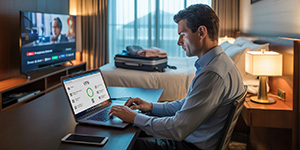
You’re three hours into a five-hour holiday drive when your daughter asks, “Can I play Roblox on your laptop?” You glance at your work laptop—filled with client data, bank access, and sensitive logins. You’re exhausted, the road is long, and keeping her entertained sounds… pretty tempting.
What’s the harm?
Here’s the truth: holiday travel data breach scenarios often start with innocent moments like this. You’re out of routine, using unfamiliar networks, juggling family and work—and your guard is down. Whether you’re traveling for business, family, or that awkward mix of both, here’s how to keep your data safe without killing the holiday vibe.
Quick Pre-Trip Device Prep (15-Minute Checklist)
Before you leave, take 15 minutes to harden your devices:
-
✅ Install security updates
-
✅ Back up files to the cloud
-
✅ Enable auto screen lock (2-minute timeout)
-
✅ Activate “Find My Device” on phones/laptops
-
✅ Charge your power bank
-
✅ Pack personal charging cables and adapters
If kids are traveling with you:
-
Explain which devices they can use
-
Bring a dedicated family tablet for games/videos
-
Set up a limited-access user account if necessary
Pro Tip: A $150 iPad is cheaper than a $150,000 data breach. Don’t share your work laptop.
Hotel WiFi = Public WiFi. Act Accordingly.
Everyone connects their devices the moment you check in—but hotel WiFi is often unencrypted, open to hundreds of guests, and vulnerable to spoofed networks.
How to stay safe:
-
Ask the front desk for the exact WiFi name
-
Use a VPN if you must access company files or email
-
Use your phone’s hotspot for anything involving client data, banking, or work systems
-
Let your family stream Netflix—but not on the same device you use for work
🔐 For ongoing protection, explore our Network Security solutions designed for remote workforces and hybrid travel setups.
Can I Use Your Laptop? (Say No)
Kids will want to stream, video chat, or play on your devices. But your work laptop holds access to everything.
Why it’s risky:
-
Kids accidentally download malware
-
They click pop-ups or share passwords
-
They forget to log out of sites
Solutions:
-
Bring a second device for the family
-
If sharing is unavoidable:
-
Create a separate user account
-
Block downloads
-
Supervise use
-
Clear browser history immediately after
-
🎯 A clear “This is my work device, not for play” policy protects your business and their safety.
Smart TVs, Netflix, and the “Forgot to Log Out” Trap
Logging into Netflix or Prime Video on a hotel TV seems harmless—until you forget to log out. The next guest might have access to your account (and any other accounts using the same password).
Safer options:
-
Cast from your own device
-
Set a phone reminder to log out
-
Better yet: download shows ahead of time and skip hotel TVs entirely
Never log into these on hotel TVs:
-
Banking apps
-
Email
-
Work dashboards
-
Social media
-
Any account with saved credit cards
Lost Device? React Quickly.
Traveling increases the chance of leaving your phone at a restaurant or your laptop in a hotel room.
If it happens:
-
Use “Find My Device” immediately
-
Remotely lock the device if unrecoverable
-
Change passwords from a different device
-
Contact your IT provider or MSP to cut off access
-
Notify affected clients if sensitive data was exposed
📲 Sign up for our Cybersecurity Tech Tips to learn how to activate remote wipe and tracking before it’s too late.
Rental Cars Store Your Info (Delete It)
Rental cars often save your phone data—call logs, contacts, and recent destinations—when you connect via Bluetooth or use the onboard GPS.
Before returning the car:
-
Delete your phone from the Bluetooth settings
-
Clear navigation history
-
Better option: Use an aux cable and skip pairing altogether
The “Working Vacation” Trap
You said you’d unplug. Instead, you’ve checked your inbox 47 times and taken three calls by the hotel pool. Constantly switching between family mode and work mode causes fatigue, distraction, and weakens your cyber defenses.
Set boundaries:
-
Only check email at specific times
-
Use your hotspot, not hotel WiFi, for all work
-
Work privately (not in public spaces)
-
Be fully present with your family when not working
🛡️ Want help implementing these habits for your entire team? Book a free discovery call to secure your business before holiday travel starts.
Make The Right Holiday Memory
The goal isn’t to be perfect—it’s to be prepared.
-
✅ Separate work and personal tech
-
✅ Know when to use hotel WiFi vs. hotspot
-
✅ Protect your family and your business
-
✅ Have a plan for lost or compromised devices
🎁 Your best holiday gift this year? Peace of mind. No breaches. No panicked calls to your IT team. Just memories that don’t include a cyberattack.
📆 Ready to lock down your devices before the holidays? Schedule your free assessment today.