
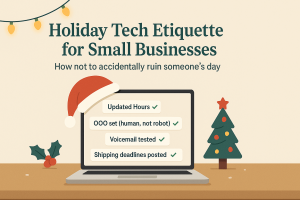
The holidays are stressful enough without technology tripping you up. Customers are squeezing in last-minute errands, employees are juggling family schedules, and expectations are cranked up to 11. The last thing your business needs is a preventable tech mistake that ruins someone’s day—or your reputation.
This guide breaks down the top holiday tech etiquette tips to help small businesses stay polished, professional, and customer-friendly during the busiest season of the year.
1. Update Your Online Hours (Before Your First Angry Phone Call)
Nothing frustrates a customer faster than pulling into your parking lot only to find the door locked—even though Google says you’re open.
Here’s what to check:
-
Google Business Profile (top priority!)
-
Facebook, Instagram, Yelp, and any other directory listings
-
Website banner with holiday schedule
-
Apple Maps (yes, people really do use it)
Example message to post:
“Happy Holidays! We’ll be closed Thursday, Nov. 27 to Sunday, Dec. 1 to spend time with family. We’ll be back Monday morning—slightly more caffeinated and ready to help!”
If you need help managing business listings or digital visibility during the holidays, our Managed IT Services can streamline updates across platforms.
2. Set Friendly Out-of-Office Replies (That Don’t Sound Robotic)
Don’t leave your customers in email limbo. A thoughtful auto-reply feels professional and human—even when you’re off the clock.
Sample message:
“Thanks for reaching out! Our office is closed for Thanksgiving from Nov. 27 to Dec. 1. We’ll respond as soon as we’re back and caffeinated. If urgent, call our support line at (XXX) XXX-XXXX. Wishing you a warm and joyful holiday!”
Keep it friendly. Keep it simple.
Want more tips like this delivered to your inbox? Sign up for our weekly Cybersecurity Tech Tips.
3. Don’t Overshare in Your Auto-Reply (Nobody Needs Your Itinerary)
Avoid listing personal travel plans in auto-responders. It might feel casual, but it’s also:
-
Unnecessary
-
A security risk
-
TMI
Stick to the essentials: dates, return times, and who to contact in your absence. Let Aunt Carol’s Denver visit live on your Instagram, not your business inbox.
4. Test Your Phone System (Before It Tests Your Patience)
Phone lines are often the first point of contact—and frustration.
Take 5 minutes and:
-
Call your own number.
-
Check your voicemail greeting matches your posted holiday hours.
-
Make sure on-call routing (if any) works properly.
Sample voicemail:
“You’ve reached [Business Name]. We’re currently closed for the holiday weekend. Please leave a message and we’ll return your call Monday. For urgent matters, press 1 to reach our on-call team. Happy Holidays!”
Not sure your phone system is doing its job? Book a free discovery call with us to audit and streamline your business communications.
5. Communicate Shipping Deadlines (Before the Panic Sets In)
If you ship products or offer deliveries, holiday logistics can get tricky fast. Don’t wait for complaints—get ahead of them.
What to do now:
-
Add “Order by” dates to your website, social posts, and emails
-
Use countdowns for urgency
-
Set up tracking notifications
Because nobody wants to explain why their holiday gift shows up in January.
Need help automating workflows, tracking orders, or managing cloud-based tools over the holidays? Our Project Services can make sure your operations are on point when things get busy.
The Bottom Line: Good Etiquette = Good Business
Practicing smart holiday tech etiquette is more than just being polite—it’s about preventing friction, earning trust, and making sure your customers feel cared for, even when you're not at your desk.
A few proactive updates now can save you hours of cleanup later. Don’t let tech missteps undo your hard work this season.
🎁 Want to enjoy your holidays and keep everything running smoothly?
Book your free discovery call or schedule a network assessment to make sure you’re covered through the holidays.